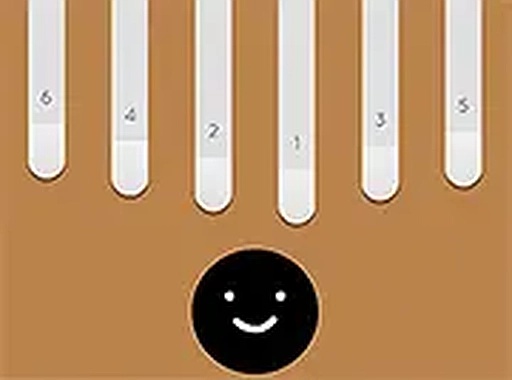
Keylimba Musical Instrument Game is a wonderful online tool for music enthusiasts. Its simple interface and responsive keys make it easy to play melodies. The recording feature is a standout, allowing you to capture and review your creations. It is family-friendly and requires no downloads, making it accessible for everyone. A great way to explore music creatively.
Keylimba Musical Instrument Game brings the joy of playing a keylimba directly to your desktop browser. This virtual instrument allows you to tap keys to produce musical notes, record your own compositions, and hear them played back. Designed for simplicity, it offers a creative outlet for music lovers of all ages. The game runs smoothly on any desktop computer without downloads or installations. Its clean interface focuses on the music, making it easy to start playing right away. Whether you are a beginner or experienced, you can experiment with notes and rhythms to create unique tunes. The recording feature adds a layer of fun, allowing you to save and share your performances. This game is an excellent tool for learning basic music concepts in an engaging way. It is family-friendly and safe, providing hours of creative entertainment.
To play Keylimba Musical Instrument Game, use your keyboard or mouse to click on the keylimba keys. Each key produces a distinct musical note. You can play freely to create your own melodies. The game also includes a recording function. Click the record button to start capturing your performance. Once you are done, stop the recording and the game will play it back for you. This allows you to hear your composition and share it with friends. The controls are simple and responsive. There are no complex rules or instructions. Just explore the sounds and have fun. The full screen mode enhances the experience by removing distractions. You can focus entirely on your music. The game is designed for desktop use, so make sure you are on a computer. It works best with a keyboard or mouse. Start playing and let your creativity flow.
Record and playback your own music. Simple keyboard and mouse controls. Full screen mode for focused play. No downloads or installations required. Family-friendly and safe for all ages.
Experiment with different note combinations to discover pleasing melodies. Practice regularly to improve your timing and rhythm. Use the recording feature to review your performances and identify areas for improvement. Try playing simple songs you know to build confidence. Take advantage of the full screen mode to minimize distractions and focus on your music. Share your recordings with friends for feedback and encouragement.

A creative space puzzle that rewards experimentation with its unique reshaping mechanic and satisfying progression.

A safe, creative puzzle game that teaches vehicle mechanics through playful exploration. Perfect for families.
A fun, challenging 3D platformer with precise controls and competitive multiplayer that keeps you coming back.

A relaxing dress up game with many outfit choices, perfect for creative players of all ages.
A delightful virtual keylimba that lets you create and record music easily. Perfect for all ages.

A delightful winter puzzle game with hidden candies and stars. Perfect for relaxing family fun.