Pixel Trail Explorer
Reviews
Pixel Trail Explorer stands out for its responsive physics and charming visuals. The terrain variety keeps each track feeling fresh, and the upgrade system gives clear goals. Controls are intuitive, making it easy to pick up but challenging to master. A solid choice for casual driving fans.
Description
Terrain Variety & Visual Style
Pixel Trail Explorer presents a series of driving tracks set in a charming pixel world. Each course features distinct surface types, including loose dirt, soft sand, slick mud, and grassy slopes. These environments require drivers to adjust their approach, as each material affects traction and momentum differently. The pixel art aesthetic gives the game a clean, approachable look that appeals to players of all ages. Bright colors and simple shapes keep the focus on the driving action without unnecessary visual clutter.
Vehicle Control & Balance
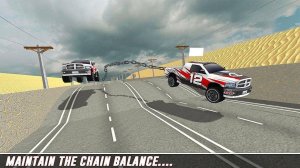
Players manage acceleration and braking using keyboard arrows or on-screen controls. Steering left and right helps keep the vehicle stable on steep ascents and sudden descents. The physics system simulates weight distribution, so leaning forward or backward at the right moment prevents tipping. Smooth landings after jumps preserve speed and prevent loss of control. Mastering these inputs is key to progressing through the increasingly demanding courses.
Progression & Upgrade Path
As players complete tracks, they collect coins scattered along the route. These coins serve as currency for improving the vehicle's performance. Upgrades focus on three main areas: engine power for faster acceleration, tire grip for better traction on loose surfaces, and suspension for absorbing bumps and maintaining stability. Investing in these enhancements makes later, more difficult tracks manageable and rewarding.
Learning Curve & Replay Value
Each track presents unique obstacles such as sharp inclines, sudden drops, and uneven terrain. The game encourages repeated attempts to learn optimal paths and jump timings. Consistent practice leads to smoother runs and faster completion times. This gradual difficulty increase keeps the experience engaging without becoming frustrating. The combination of varied tracks and upgrade options gives players reasons to revisit earlier courses with improved vehicles.





Comments
Sign in to comment
You must be logged in before posting a review or rating.
No account? Create one
No comments yet. Be the first to comment!