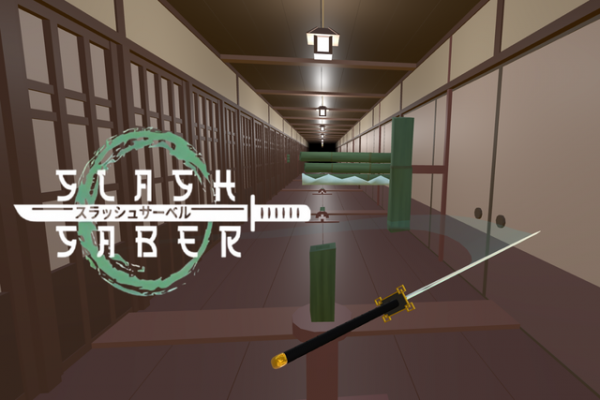
Runner Dash: Precision Path offers a clean, engaging arcade experience. The simple mouse controls make it easy to start, but the increasing speed and randomized obstacles keep each run challenging. The global leaderboard adds replay value, and blade customizations provide a personal touch. It's a great choice for quick gaming sessions.
Runner Dash: Precision Path is an arcade-style game where you control a character moving forward through a narrow tunnel. The main goal is to navigate past obstacles by making precise mouse gestures. Each obstacle requires a specific movement direction to clear it successfully. The game tests your reaction time, focus, and ability to stay calm as the speed increases. As you progress, the pace accelerates, leaving less time to react. The challenge is to maintain accuracy while the environment becomes more demanding. Your run ends after a limited number of mistakes, so every moment counts. The game includes a global leaderboard where you can compare your performance with others. You can also customize the appearance of your blade, adding a personal touch to each run. The obstacle patterns are randomized, ensuring that no two runs are exactly the same. Runner Dash: Precision Path is designed for players who enjoy testing their concentration and precision in a fast-paced setting.
In Runner Dash: Precision Path, your character automatically moves forward through a tunnel. Your main task is to use your mouse to guide the blade and clear obstacles that appear in your path. Each obstacle must be approached with the correct movement direction. If you miss or use the wrong direction, you lose one of your limited health points. The game ends when all health points are gone. The speed increases over time, so you need to stay alert and adjust your movements quickly. The controls are simple: move your mouse to aim and perform the required gesture for each obstacle. Success depends on your ability to read the obstacle patterns and react accurately.
Runner Dash: Precision Path includes several features that enhance the gameplay experience. The game has a global leaderboard where players can compare their high scores. You can customize the appearance of your blade to make it unique. The obstacle patterns are randomized, which means each run presents a new challenge. The game speed increases as you progress, testing your reflexes and concentration. The 3D environment adds depth, making distance judgment part of the challenge. The game is designed for single-player sessions that are quick but intense, perfect for short gaming breaks. The scoring system rewards successful obstacle clears, encouraging players to aim for higher scores.
To improve your performance in Runner Dash: Precision Path, practice making smooth and controlled mouse movements. Keep your cursor centered after each action so you are ready for the next obstacle. Lowering your mouse sensitivity can help you maintain steady control as the game speeds up. Focus on learning the different obstacle patterns and the required directions. Regular practice will help you build muscle memory and improve your reaction time. Stay calm and avoid rushing your movements, as accuracy is more important than speed.
Fast-paced and fun, this game tests your reflexes with simple controls and increasing speed.
A fun and simple aiming game with easy controls and two-player mode. Great for quick matches.
A fun, challenging 3D platformer with precise controls and competitive multiplayer that keeps you coming back.
A creative space puzzle that rewards experimentation with its unique reshaping mechanic and satisfying progression.
A relaxing twist on Mahjong solitaire. Matching three tiles adds satisfying strategic depth.
Element Match Puzzle offers simple, addictive color-matching fun with smooth controls and bright visuals for all ages.