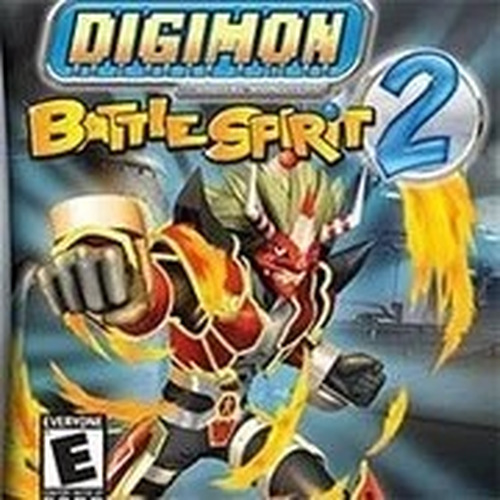
Digimon Battle Spirit 2 is a delightful retro action game that captures the charm of the Digimon universe. With simple keyboard controls and the ability to save progress, it is accessible for all ages. The variety of characters and fast-paced battles keep the gameplay fresh and engaging. A solid choice for anyone looking for a nostalgic action experience.
Digimon Battle Spirit 2 brings the beloved Digimon universe to life in a thrilling action game experience. Players choose their favorite Digimon characters and engage in fast-paced battles against opponents. The game features colorful graphics, smooth animations, and intuitive controls that make it easy for anyone to pick up and play. Whether you are a longtime Digimon fan or new to the series, this game offers hours of entertainment with its engaging combat system and variety of characters.
To start playing Digimon Battle Spirit 2, press the ENTER key to begin or pause the game. The game is controlled entirely using your keyboard, which acts as a game controller. Click on the keyboard icon at the bottom of the screen to view the default key mapping. For example, the A button on a controller corresponds to the Z key on your keyboard. Default controls include: D-PAD uses the Arrow keys, A, B, L, R buttons use Z, X, A, S keys, and START and SELECT use Enter and Backspace. You can customize these settings to your preference. Some keys may have no function, so experiment to discover what each key does. To save your progress, hover your mouse over the game to reveal icons at the bottom, then click the down arrow icon to save the file to your computer. Load your saved game later by clicking the up arrow icon.
Fun Digimon battles with customizable keyboard controls and save progress. The game offers a variety of characters each with unique moves, and the ability to adjust controls to your liking. Save your game at any time and resume later, making it convenient for players of all ages.
To succeed in Digimon Battle Spirit 2, practice using each character's moves to learn their strengths and timing. Experiment with different key mappings to find a control setup that feels comfortable for you. Save your progress frequently, especially before challenging battles, so you can reload if needed. Observe opponent patterns and adapt your strategy accordingly. Finally, take breaks to maintain focus during longer play sessions.

A safe, fun Power Rangers action game with simple controls and helpful power-ups.

Creative and safe car demolition game with fun puzzles and tools.
Funshot.lol is a bright, engaging endless runner with simple aiming mechanics and progressive challenge.
A fun retro action game with colorful Digimon characters and easy keyboard controls. Great for fans.
Charming pig battles with smooth controls. Perfect for quick, family-friendly gaming sessions.
Simple controls and fun team play. A great choice for a quick, family-friendly escape challenge.