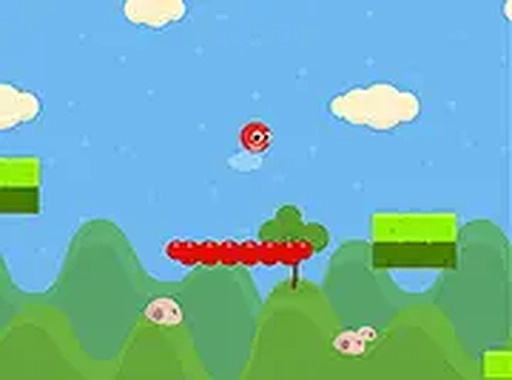
Red Head Jump offers simple yet addictive gameplay. The timing-based jumping and spike avoidance provide a fair challenge. The endless format and high score tracking encourage replayability. It runs well on all devices and requires no downloads. A solid choice for casual arcade fans.
Red Head Jump is an endless jumping game where you control a red ball moving from one platform to the next. The goal is to travel as far as possible while avoiding dangerous spikes that appear along the way. Each successful jump moves you forward, and the game ends if you miss a platform or touch a spike. The game is designed for quick play sessions but offers enough challenge to keep you engaged longer. It runs smoothly in any browser on desktop or mobile, with no downloads required. Simple visuals and responsive controls make it accessible for players of all ages.
To play Red Head Jump, use your mouse or keyboard on a desktop. Click or press a key to make the red ball jump from platform to platform. On a mobile device, tap the screen to jump. Timing is important: jump too early or too late and you may miss the next platform or hit a spike. The game continues until you fall or touch a spike. There are no complicated rules or menus. Just start the game and jump. Practice helps you improve your timing and reach higher scores. The game also supports full screen mode for a more focused experience.
Red Head Jump includes endless platform generation, so no two runs are the same. Spike obstacles appear randomly and increase the challenge. The game tracks your high score, encouraging you to beat your previous best. It is mobile-friendly with touch controls and works in any modern browser. Full screen support is available for a more immersive view. The simple design keeps the game fast and responsive.
Red Head Jump is easy to pick up but hard to master. The increasing difficulty keeps each attempt fresh, and the high score system gives you a reason to keep playing. It is a good choice for short breaks or longer sessions.
✅ This game supports: - Desktop browsers (Chrome, Edge, Safari) - Mobile browsers (Chrome on Android, Safari on iOS) ❌ Does NOT support: - Internet Explorer - Very old browser versions 👉 Try refreshing or updating your browser
Clean design and smooth controls. A fun puzzle game for quick breaks.
Clean visuals and responsive controls. Perfect for quick, competitive play sessions.
Addictive merge action with smooth controls. Great for quick mental challenges.

Simple controls and clear goals. Good for quick, fun sessions with friends.
Smooth drag-and-drop controls. Nice variety of puzzles. Good for quick relaxation breaks.
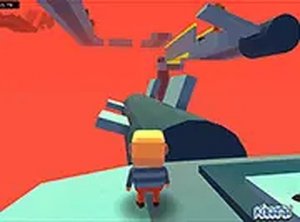
Smooth controls and colorful levels. Checkpoints reduce frustration. Good for quick breaks.