Donut Arena Showdown is a charming and accessible party game that brings friends together for lighthearted competition. Its pixel art style is clean and appealing, and the simple controls make it easy for anyone to join. The local multiplayer focus encourages real interaction, and the quick rounds keep the energy high. It is a great choice for casual gaming sessions.
Donut Arena Showdown is a free multiplayer party game designed for local play on a single computer. Up to four players control colorful donut characters in a pixel art arena, competing to be the last one standing. The game emphasizes simple, competitive fun and is suitable for all ages. It runs directly in a web browser, requiring no downloads or installations, making it easy to start a session with friends. The lighthearted theme and straightforward objective create an accessible experience for both casual and regular players. The game's design focuses on bringing people together for quick, enjoyable matches.
Players gather up to three friends to play on the same computer, each using a keyboard to control their donut. The main goal is to push other donuts off the platform or avoid being eliminated. The last donut remaining wins the round. Controls are easy to learn, allowing quick participation for everyone. The game supports multiple rounds to determine an overall champion. For the best experience, a keyboard is recommended, and full screen mode is available to enhance the view.
Donut Arena Showdown offers local multiplayer battles for up to four players. It features pixel-style graphics with a clean, colorful appearance. Simple controls make it accessible to new players. Quick match rounds are suitable for short breaks or parties. The game is free to play with no downloads required. Full screen mode provides an immersive display. It is designed for desktop use and works well with a keyboard or mouse.
Practice moving your donut to master the controls. Stay aware of your position relative to the arena edges to avoid falling off. Observe opponents' movements to anticipate their actions. Use quick maneuvers to dodge incoming pushes. Play multiple rounds to learn the flow of the game. Communicate with friends for a more enjoyable experience.
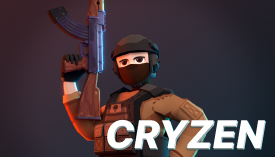
Cryzen.io Arena Challenge offers fast-paced multiplayer action with smooth controls and fun blaster customization.

A safe, family-friendly action game with simple controls and exciting monster battles. Perfect for all ages.
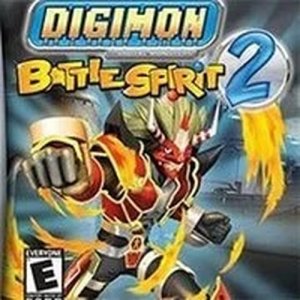
A fun retro action game with colorful graphics and easy keyboard controls. Great for Digimon fans.
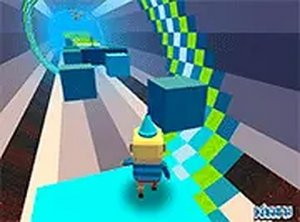
A fun, challenging 3D platformer with precise controls and competitive multiplayer that keeps you coming back.

Ludo Club is a fun, family-friendly board game that brings classic Ludo to your device with online multiplayer.

A safe, creative puzzle game that teaches vehicle mechanics through playful exploration. Perfect for families.