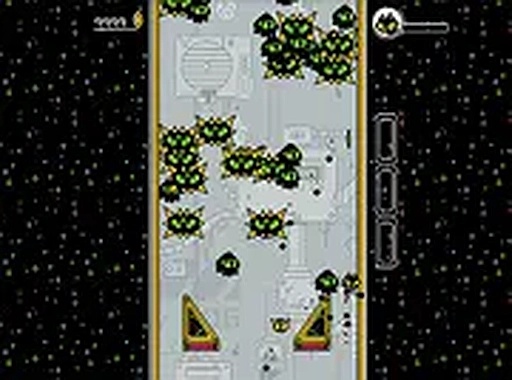
Kitty Bounce Action Arcade Game combines adorable character design with engaging action gameplay. The bouncing controls are responsive, and the increasing monster waves provide a steady challenge. It's a great choice for quick gaming sessions, offering fun without complexity. The free browser-based format makes it easy to access anytime.
Kitty Bounce Action Arcade Game is a free browser-based action game where you control a feisty kitty with bouncing skills. The core objective is to overcome waves of monsters by moving around and performing energetic moves. This game stands out for its unique combination of cute character design and fast-paced action, offering a lighthearted yet challenging experience. It is designed for desktop play and runs directly in your browser without any downloads, making it easy to jump into the action at any time. The game is part of a collection of WebGL games, providing additional variety for players who enjoy this style of action gaming.
Players use their keyboard or mouse to control the kitty as it bounces across the screen. The main action involves jumping up and executing moves to overcome monsters that appear in large numbers. The goal is to defeat all enemies while avoiding being overwhelmed. Quick reflexes and precise timing are essential to succeed. The game typically progresses through levels with increasing difficulty, requiring players to adapt their strategies as monster waves become more intense.
Key features include fun action gameplay centered on bouncing and energetic moves. Monsters appear in growing numbers, providing a steadily increasing challenge. Simple keyboard and mouse controls make the game accessible to players of all skill levels. A full-screen mode is available for a more immersive experience. The game is free to play directly in your browser, with no downloads or installations required.
To succeed in Kitty Bounce, practice your timing and reflexes regularly. Learn the movement patterns of different monster types to anticipate their actions. Focus on maintaining a good position on the screen to avoid being cornered. Use quick, precise moves to defeat enemies efficiently. Taking short breaks between attempts can help maintain focus and improve performance. As you progress, pay attention to how monster waves change and adapt your strategy accordingly.

A fun retro action game with colorful graphics and easy keyboard controls. Great for Digimon fans.

A delightful cartoon action game with simple controls and charming Looney Tunes humor.

A safe, family-friendly action game with simple controls and exciting monster battles. Perfect for all ages.

A fun and safe pirate adventure for all ages. Great for quick multiplayer fun!
A fun endless runner with simple controls and colorful graphics. Great for quick gaming sessions.

A safe, creative puzzle game that teaches vehicle mechanics through playful exploration. Perfect for families.