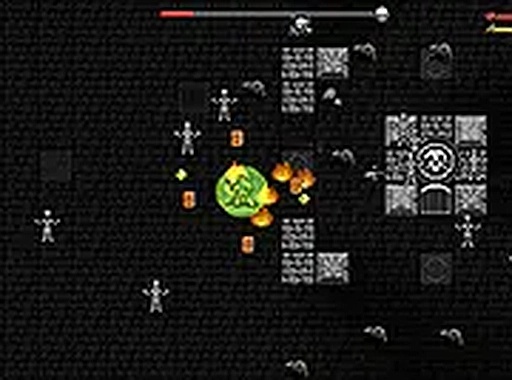
Deathly Dungeons Action Online Game delivers a straightforward action experience. The hero selection adds some variety, and the leveling system gives a sense of progress. Boss fights require basic strategy and are rewarding. The game is easy to pick up and works well for short breaks. While not complex, it offers solid replayability through different heroes and loot collection. A decent choice for casual browser gaming.
Why You Will Like It: This game offers a clear goal and immediate action. You can start playing quickly without tutorials or downloads. The hero selection adds variety, and the boss fights provide satisfying challenges. It is a good choice for short gaming sessions.
• OS: Windows 10+, macOS 11+, iOS 14+, Android 10+ • Browsers: Chrome 100+, Safari 15+, Edge 100+, Firefox 100+ • Not compatible with Internet Explorer Tested on real devices – works as expected

Smooth stickman battles with unique hero moves. Easy to start, fun to master. Great for quick gaming sessions.

Clean controls and clever wall bouncing. Great for quick gaming sessions.

A clever blend of math and strategy. Smooth controls and family-friendly fun.
Simple controls and fun team play. A great choice for a quick, family-friendly escape challenge.

Charming pig battles with smooth controls. Perfect for quick, family-friendly gaming sessions.

A pleasant cat maze game with simple controls and charming visuals. Good for short, relaxed play sessions.