Glow Catch Arcade
Reviews
Glow Catch Arcade succeeds by focusing on one core mechanic and executing it well. The gradual increase in speed and trap placement keeps each level fresh without feeling unfair. Visual feedback is clear, and the lack of complex controls makes it accessible to anyone. The game is ideal for short breaks, offering a quick challenge that rewards precision. While it may not have deep story or variety, its simplicity is its strength, providing a reliable way to test and improve your reaction time.
Description
Core Gameplay Loop
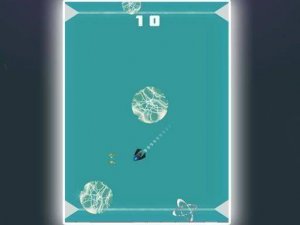
At its heart, Glow Catch Arcade is about precision and patience. Players must tap or click at the exact moment a glowing orb appears on screen. Miss the timing, and the orb disappears. Hit it correctly, and you earn points. The challenge comes from the traps that appear without warning, forcing you to hold back or adjust your timing. This simple loop creates a satisfying rhythm that rewards focus and practice.
Level Design and Progression
The game features many levels, each introducing new patterns and faster sequences. Early stages let you learn the basic timing, while later levels add more traps and quicker orb appearances. Some levels may require you to catch multiple orbs in a row, testing your ability to maintain concentration under pressure. The difficulty curve is gradual, ensuring players of all skill levels can find a comfortable starting point.
Visual and Audio Feedback
Glow Catch Arcade uses bright, clear visuals to help players track orbs and traps. Each successful catch produces a satisfying visual effect, while traps are signaled by distinct color changes or movement cues. The audio feedback is minimal but effective, with short sounds for catches and mistakes. This design helps players learn from each attempt without being overwhelmed by distractions.
Accessibility and Platform Support
Because the game runs entirely in a web browser, there is no need to download or install anything. It works on mobile phones, tablets, and desktop computers. On touchscreens, tapping is the primary action; on desktops, clicking serves the same purpose. This cross-platform compatibility makes it easy to play during short breaks or longer sessions, wherever you are.








Comments
Sign in to comment
You must be logged in before posting a review or rating.
No account? Create one
No comments yet. Be the first to comment!