Guided Sphere Labyrinth
Reviews
Guided Sphere Labyrinth stands out for its simple yet deep mechanics. The combination of aiming and route planning creates a satisfying mental workout. Levels are well-designed, introducing new obstacles at a comfortable pace. The cheerful graphics and responsive controls make it easy to pick up for a few minutes or settle into a longer session. A solid choice for puzzle enthusiasts who enjoy methodical problem-solving.
Description
Core Gameplay Loop
Players take control of several brightly colored spheres, each needing to reach a specific destination within a maze. The primary interaction involves tapping or clicking to apply a short burst of movement, sending the sphere rolling in a chosen direction. Success depends on judging the distance and angle of each push, as spheres continue moving until they hit a wall or obstacle. This creates a satisfying blend of careful aim and spatial reasoning, where one wrong move can send a sphere off course.
Obstacle Types and Challenges
The mazes are populated with various elements that complicate navigation. Some surfaces are covered with rough patches that stop a sphere instantly, requiring players to avoid those areas entirely. Other neutral spheres sit in the path, acting as movable blocks that can be nudged aside or used to redirect your own sphere. Later levels introduce more complex arrangements of these obstacles, demanding that players think several steps ahead to clear a safe route.
Visual Style and Atmosphere
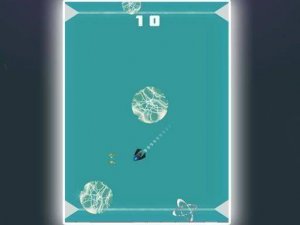
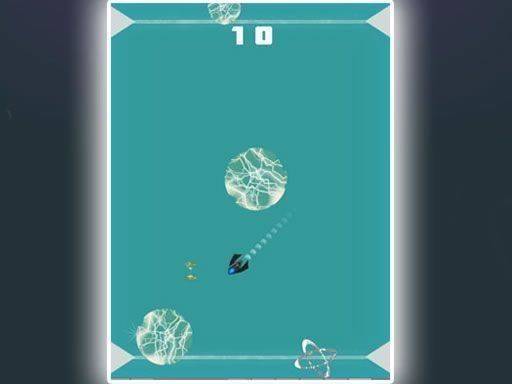
The game presents a clean, cheerful aesthetic with vibrant colors and simple geometric shapes. Each sphere has a distinct hue that matches its target hole, making it easy to track multiple objects on screen. The maze walls are clearly defined, and the background remains uncluttered to keep focus on the puzzle. This visual clarity helps reduce confusion, especially when several spheres are in motion at once.
Progression and Difficulty Curve
Levels start with straightforward paths that teach the basic control mechanics. As players advance, the mazes grow more intricate, adding extra spheres, tighter corridors, and more obstacles. The game does not rely on speed; instead, it rewards patience and methodical planning. Some levels may impose a move limit, encouraging efficient routes, while others are untimed for relaxed exploration. This gradual ramp in complexity keeps the experience fresh without becoming frustrating.
Platform and Accessibility
Built for instant play in a web browser, the game works on both desktop computers and mobile devices. No downloads or installations are required. Touch controls are responsive on phones and tablets, while mouse input works well on larger screens. A full-screen mode is available for an immersive experience, and the lightweight design ensures smooth performance even on older hardware.









Comments
Sign in to comment
You must be logged in before posting a review or rating.
No account? Create one
No comments yet. Be the first to comment!