Lost My Chicken Puzzle Game is a delightful skill game that offers a relaxing yet engaging experience. The controls are intuitive, and each level presents a new puzzle that requires careful planning. The game is family-friendly and free to play, making it accessible for everyone. It has good replayability as you can try to complete levels with fewer moves or faster times. Overall, it is a charming game that sharpens your focus and provides a pleasant break from daily tasks.
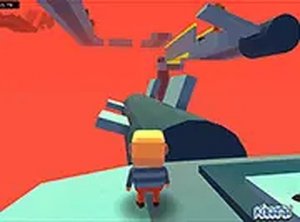
Lost My Chicken Puzzle Game is a charming skill-based puzzle game where you help a little chicken find its way home. The chicken has lost its path in a forest filled with trees, and your goal is to guide it safely to the finish line without bumping into any obstacles. Each level presents a new layout, requiring careful planning and precise mouse movements. The game features simple controls and delightful graphics, making it accessible for players of all ages. It runs directly in your browser with no downloads needed, so you can start playing instantly. Whether you have a few minutes or a longer break, Lost My Chicken provides a lighthearted adventure that sharpens your focus and coordination.
To play Lost My Chicken, use your mouse to control the chicken. Click and hold the right mouse button, then drag your mouse in the direction you want the chicken to go. The key is to find a clear path where the chicken can move safely, avoiding all trees that block the way. Each level offers a new layout, so you need to plan your route carefully. The game is designed for desktop play and works best with a mouse or keyboard. For a more immersive experience, you can switch to full screen mode. There are no complicated controls or timers, just pure skill and precision as you guide the chicken home.
Lost My Chicken Puzzle Game offers several features: It is completely free to play with no hidden costs. The game is family-friendly and suitable for all ages. Gameplay is skill-based, focusing on precision and planning. Full screen support is available for a better experience. The game runs directly in your browser without any downloads.
To succeed in Lost My Chicken, take your time to survey each level before moving. Plan your route carefully to avoid trees and obstacles. Practice smooth, steady mouse movements to maintain control. If you make a mistake, learn from it and try a different path. Regular play will improve your coordination and precision, making each level easier to complete.
Clean design and smooth controls. A fun puzzle game for quick breaks.

Clean visuals and responsive controls. Perfect for quick, competitive play sessions.
Addictive merge action with smooth controls. Great for quick mental challenges.

Simple controls and clear goals. Good for quick, fun sessions with friends.
Smooth drag-and-drop controls. Nice variety of puzzles. Good for quick relaxation breaks.
Smooth controls and colorful levels. Checkpoints reduce frustration. Good for quick breaks.