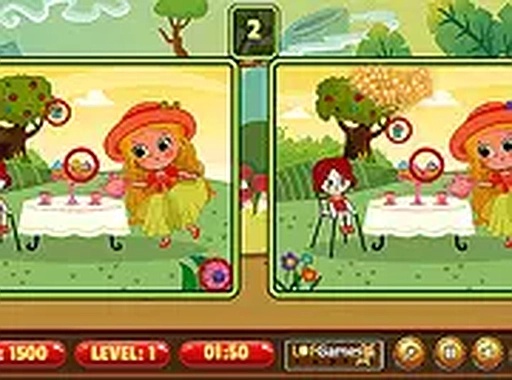
Spot 5 Differences offers a calm, focused puzzle experience. Each level presents fresh, cheerful scenes with hidden changes that require careful observation. The timed mode encourages replay without pressure. It is a safe, family-friendly game that builds concentration and visual memory. Ideal for casual play during breaks or quiet time.
Spot 5 Differences is a classic spot-the-difference puzzle game that challenges your observation skills. You are presented with two images that look almost identical, but there are subtle differences hidden within. Your goal is to find at least 5 differences to complete each level. The game offers a relaxing yet engaging experience, perfect for players of all ages who enjoy brain teasers and visual puzzles. With a variety of colorful and family-friendly scenes, each level brings a new challenge. Play it free directly in your browser, with no downloads or installations needed. The game is designed to be accessible on both mobile devices and desktop computers, making it easy to enjoy anytime, anywhere.
To play Spot 5 Differences, simply look at the two images side by side. Tap or click on the area where you spot a difference. Each correct find will be highlighted, and you need to find at least 5 differences to move to the next level. The game keeps track of your progress and time, adding a fun challenge to see how quickly you can spot all differences. You can play in full screen mode for a more immersive experience. The controls are intuitive and responsive, making it easy for anyone to pick up and play. There are no complex rules, just pure observation fun.
Family-friendly, no violence, suitable for all ages. Bright and colorful graphics. Free to play with no downloads. Works on mobile and desktop. Timed levels add replay value. Simple tap or click controls.
To improve your performance, take your time and scan each image systematically, comparing sections one by one. Look for differences in colors, shapes, sizes, or missing objects. Practice regularly to sharpen your observation skills and speed. Use the full screen mode to see details more clearly. If you get stuck, try focusing on one area at a time rather than the whole image.
Funshot.lol is a bright, engaging endless runner with simple aiming mechanics and progressive challenge.
A clever puzzle adventure where you lead a goblin clan to freedom with strategy and teamwork.
Special Strike offers fast action and strategic teamwork. Easy to learn, fun to master.
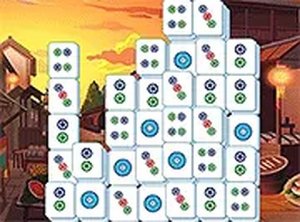
Clean design and smooth gameplay. Great for short breaks. A fresh twist on mahjong.

Clean design and smooth gameplay. Great for short breaks.

Simple controls and fun chase mechanics. Great for quick, family-friendly gaming sessions.